
In the field of digital printing, DPI (Dots Per Inch) has always been the core benchmark for measuring output quality. Let's start with basic concepts and, combined with innovative technologies, explore how DPI can become a bridge connecting visual aesthetics and industrial efficiency.
1. The Visual Code of DPI: A Precision Revolution from Digital to Physical Objects
What is DPI?
(Image performance at different DPIs)
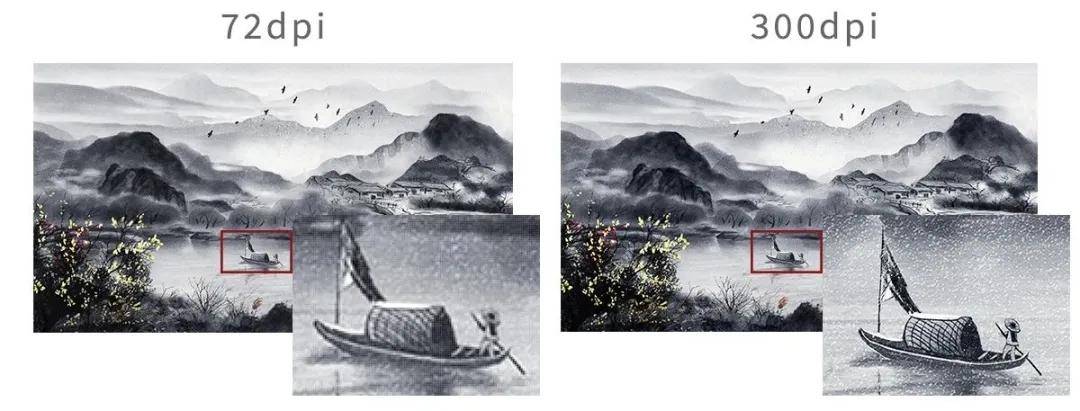
Let's first visually experience the differences between different DPI through images ↑ :
As shown in the image above, the higher the DPI, the clearer and more detailed the image. The reason for this difference in detail can be explained by the concept of DPI.
DPI is an abbreviation for Dots Per Inch , which refers to the number of dots per inch. It is the resolution and output unit of a printer device, also known as print resolution, and is an important standard for measuring print quality. The unit of measurement is "dots per inch".
If a printer has an output resolution of 1440×1200 dpi, it means that in the X direction (horizontal) , the closest distance between two ink dots can be 1/1440 of an inch. In the Y direction (vertical) , the distance between two ink dots can be 1/1200 of an inch.
Taking the Top Printing UV Flatbed Printer]as an example, when the device is labeled with a 1440×1200 DPI resolution, it actually includes dual-dimensional precision control:
- Lateral accuracy (X-axis): 1440 individual ink droplets per inch, with a spacing of only 17.64 micrometers (1/1440 inch) between adjacent ink droplets.
- Formula: Spacing = 1 inch ÷ DPI value
- Calculation: 1 ÷ 1440 ≈ 0.0006944 inches
- Unit conversion: 1 inch = 25.4 millimeters = 25,400 micrometers
0.0006944 inches × 25,400 ≈ 17.64 micrometers
- Vertical accuracy (Y-axis): Achieved by controlling the printhead movement step size with a stepper motor, achieving a vertical resolution of 1200 lines per inch.
- This asymmetrical design ensures printing efficiency while improving text clarity by optimizing horizontal precision, while vertical resolution primarily affects the vertical layering of the image.
2. Breaking down conceptual barriers: DPI ≠ PPI, Top Printing Technology reconstructs its parameter cognition system
Misconceptions about DPI
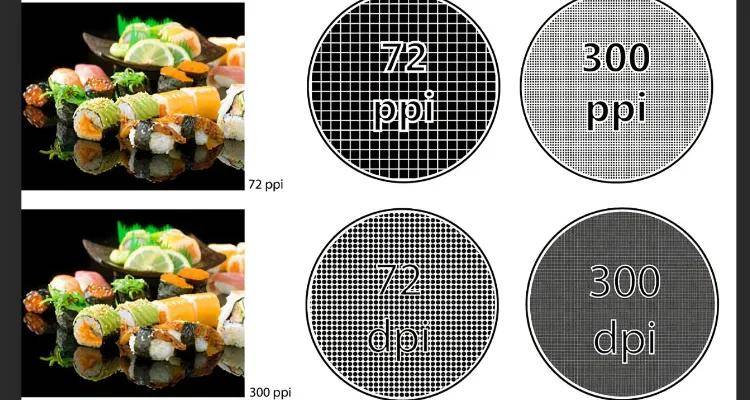
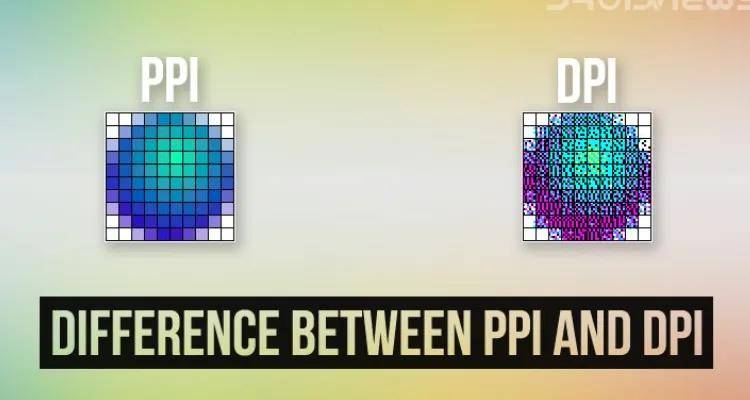
DPI ≠ image resolution. This kind of misconception is usually due to confusion with the concept of PPI.
Most people also use DPI to represent image resolution, which is not accurate. More professional people use another unit of measurement: PPI (Pixels Per Inch) to represent image sharpness, in order to distinguish between the two.
This stems from a lack of clarity regarding the difference between output device parameters (DPI) and digital image attributes (PPI). It needs to be clarified that:
- DPI (Device Resolution): Describes the physical output capability of hardware such as printers and scanners, reflecting the precision of their mechanical structure.
- PPI (Pixel Density): Characterizes an inherent property of digital images, defining the number of pixels per inch.
For example, a 300 PPI digital photo can be output with a 1:1 pixel mapping on a 300 DPI printer; however, if printed using a 600 DPI device, interpolation algorithms are needed to supplement pixel information. Professional fields strictly distinguish between these two parameters to avoid conflating the display precision of digital images with their physical output capabilities.
Choose the appropriate DPI
Print output resolution—DPI —is an important factor affecting the quality of printed images.
The DPI (Distribution Points) of a printer output determines the level of detail that the printer can reproduce when printing images, and its level has a significant impact on output quality.
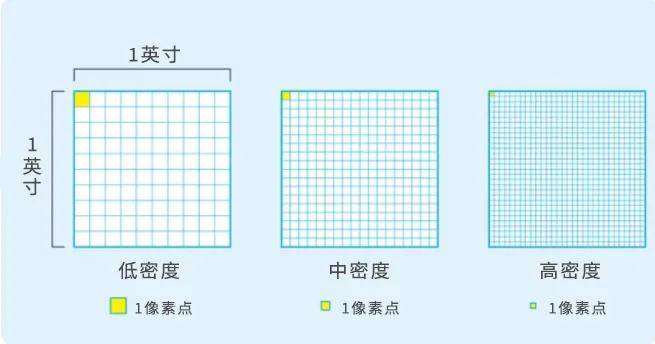
Therefore, to a certain extent, the printing resolution determines the output quality of the printer .
The higher the resolution, the more pixels can be displayed, resulting in more information and a clearer image.
However, not every printing need requires the highest precision printing.
On a typical inkjet printer, the higher the output DPI, the slower the printing speed , resulting in reduced printing efficiency.
Secondly, higher resolution requires more ink, increasing ink consumption and affecting surface finish and light transmission. Therefore, choosing the appropriate DPI is an important part of printing production .
Rational DPI selection strategy
In actual production, the selection of DPI parameters requires comprehensive consideration of three core factors:
(1) Application scenario adaptation
Text output: 600 DPI is sufficient for daily office needs, with clear and sharp text edges.
- Photo printing: We recommend using a resolution of 1200 DPI or higher to ensure smooth and natural color gradients.
- Commercial Advertisement: We recommend using 2400 DPI with spot color inks for accurate color reproduction.
(2) Balancing efficiency and cost
High DPI mode significantly increases printing time and consumable consumption. Test data shows that when the DPI is increased from 600 to 1200:
- Printing speed decreased by approximately 40%.
- Ink consumption increased by 60%.
- The ink absorption of the media surface coating needs to be increased by 30% to avoid smudging.
(3) Output medium matching
Different materials respond differently to DPI:
- Coated paper: Suitable for high DPI output, capable of producing delicate dot transitions.
- Perfect binding paper: Medium DPI is recommended to avoid ink bleeding and loss of detail.
- Special media: DPI parameters need to be adjusted according to the characteristics of the surface coating.
Practical suggestions : For daily use, establish tiered output standards and switch between them with a single click through device driver presets to optimize printing efficiency while ensuring quality.
The next stop in the precision revolution
Top Printing Technology views DPI as no longer an isolated parameter, but an intelligent interface connecting the digital and physical worlds. It allows every printed product to deliver its intended value with the most appropriate precision in the right context. This rational mastery of precision is perhaps the most valuable printing wisdom of the Industry 4.0 era.