
Many UV printing operators face a common headache: colors look correct on the screen, but shift heavily after printing on UV flatbed printers. Light gradients get banding, neutral grey turns dirty, and colors drift once you switch substrates or ink batches. Most users only know ICC profiling, while ignoring the full workflow including linearization, gray balance and Total Ink Limit (TIL).
When an image is sent from your computer to a UV printer, it is not transmitted directly. Inside the RIP software, the file goes through color space conversion, channel mapping, ink correction and over-ink limitation. ICC, linearization curves, gray balance and ink limits each have separate responsibilities. Wrong sequence will ruin your whole color calibration.
- What is an ICC Profile & Why Do UV Printers Need ICC?
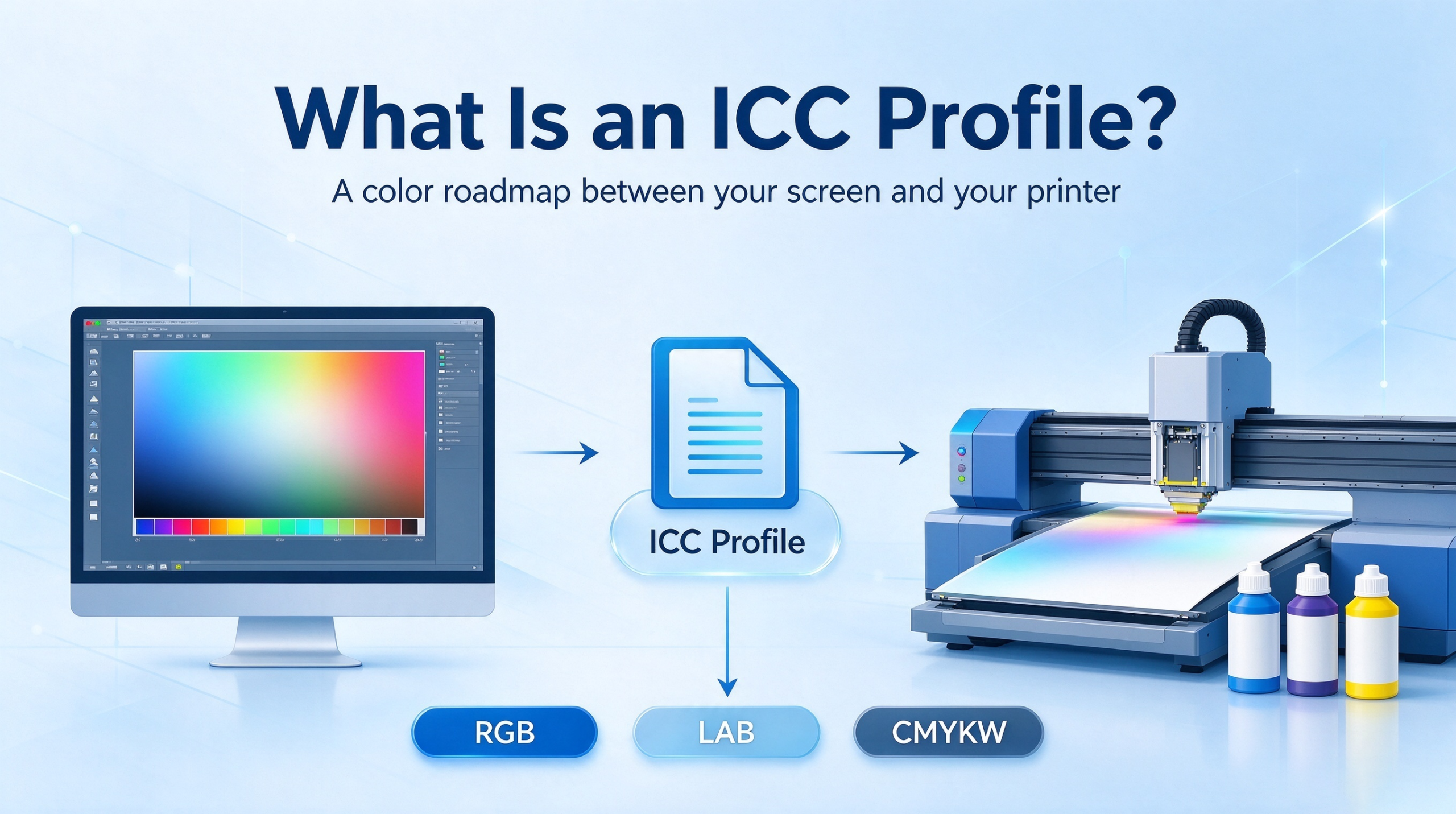
ICC stands for International Color Consortium Profile. Simply put, an ICC profile is a color specification document. It records the gamut and color mapping characteristics under a fixed printing setup, bridging the emissive RGB display space and the subtractive CMYKW ink space of your UV printer.
Monitors, scanners and UV printers render colors differently. A pure red RGB (255,0,0) cannot be recognized directly by UV print heads. RIP software relies on ICC to translate RGB values into the correct C/M/Y/K/W ink ratios for your ink and substrate combination.
Key rule: One ICC profile is NOT universal for the whole printer. An ICC profile is locked to a complete recipe: printhead model, ink batch, pass setting, substrate (acrylic, metal, glass, PVC), curing power. Clear acrylic, white acrylic and metal sheets reflect and transmit light differently. You need separate ICC profiles even with identical ink.
ICC profiling workflow: RIP generates IT8 target chart → print the chart under stable condition → measure every patch with spectrophotometer → profiling software calculates and builds the custom ICC profile.
- Why Do We Need Linearization Even With ICC Profiles?
This is the most critical concept in UV color management: Linearization is the foundation, ICC is the translation table. Linearization must be finished before building ICC. Inside RIP, calculation order reverses: ICC conversion runs first, then linear curve correction.
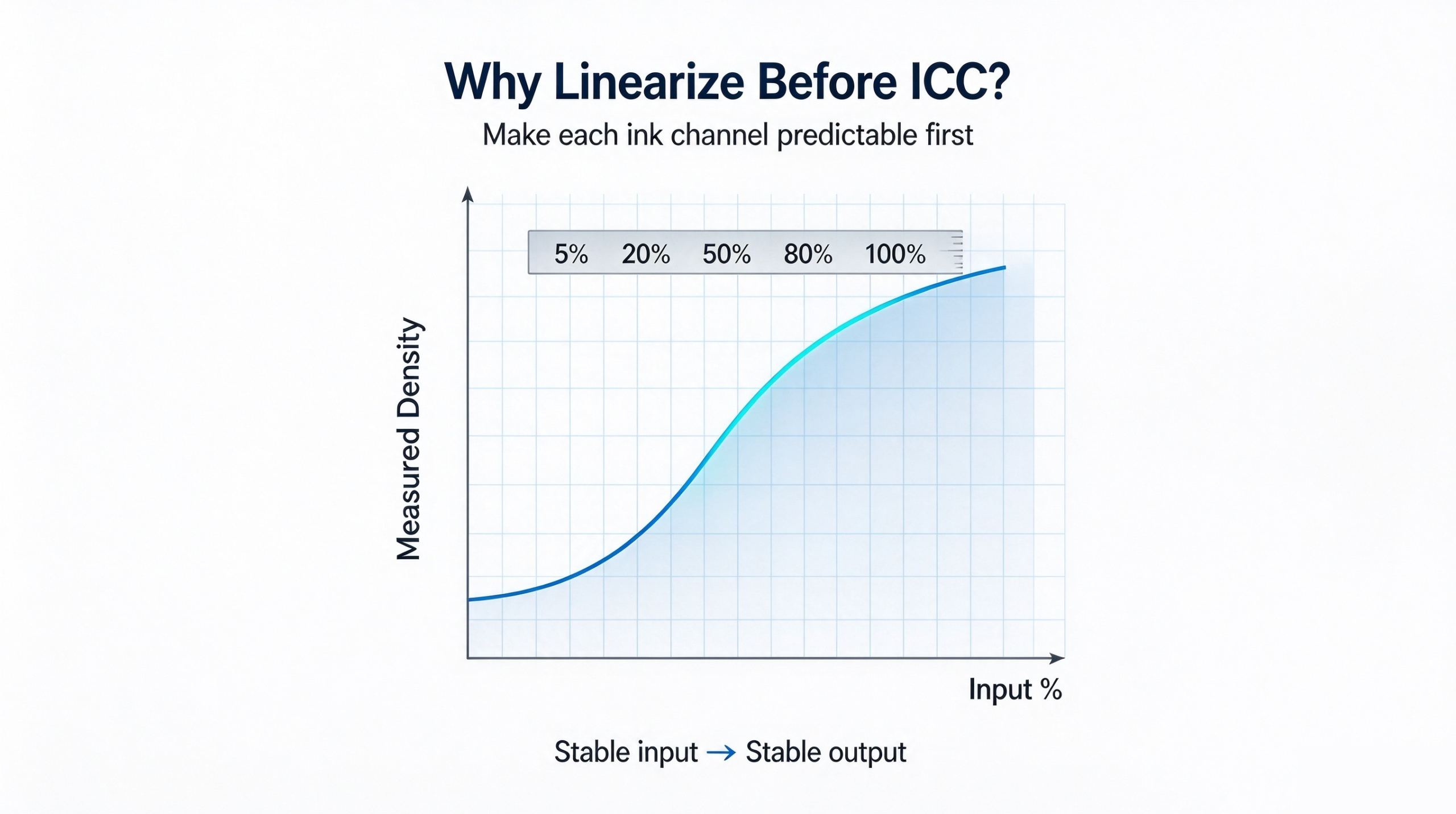
UV print heads are inherently non-linear devices. When you send 50% Cyan command in RIP, the actual ink density may not reach 50%. Low percentage light screens suffer weak ink output and tone loss; high ink areas gain density slowly and cause ink piling, bad curing and orange peel.
If you skip linearization and create ICC directly, the ICC will encode the printhead’s non-linear defects. The IT8 chart may measure well temporarily, but you get gradient banding, patchy light tones and poor repeatability. Tiny printhead clogging will trigger severe color drift.
2.1 What Does Linearization Calibrate?
- Single-channel tone correction: Print C/M/Y/K/W step wedges, build correction curves to guarantee smooth 0–100% tone transition;
- Single channel maximum ink cap: Set safe upper ink limit for each channel to avoid over-deposition;
- Prepare stable baseline for later Total Ink Limit control.
Linearization outputs single-channel lookup curves, which only control the relationship between ink command value and real printed density. ICC controls color gamut mapping and ink mixing ratios. Neither can replace the other.
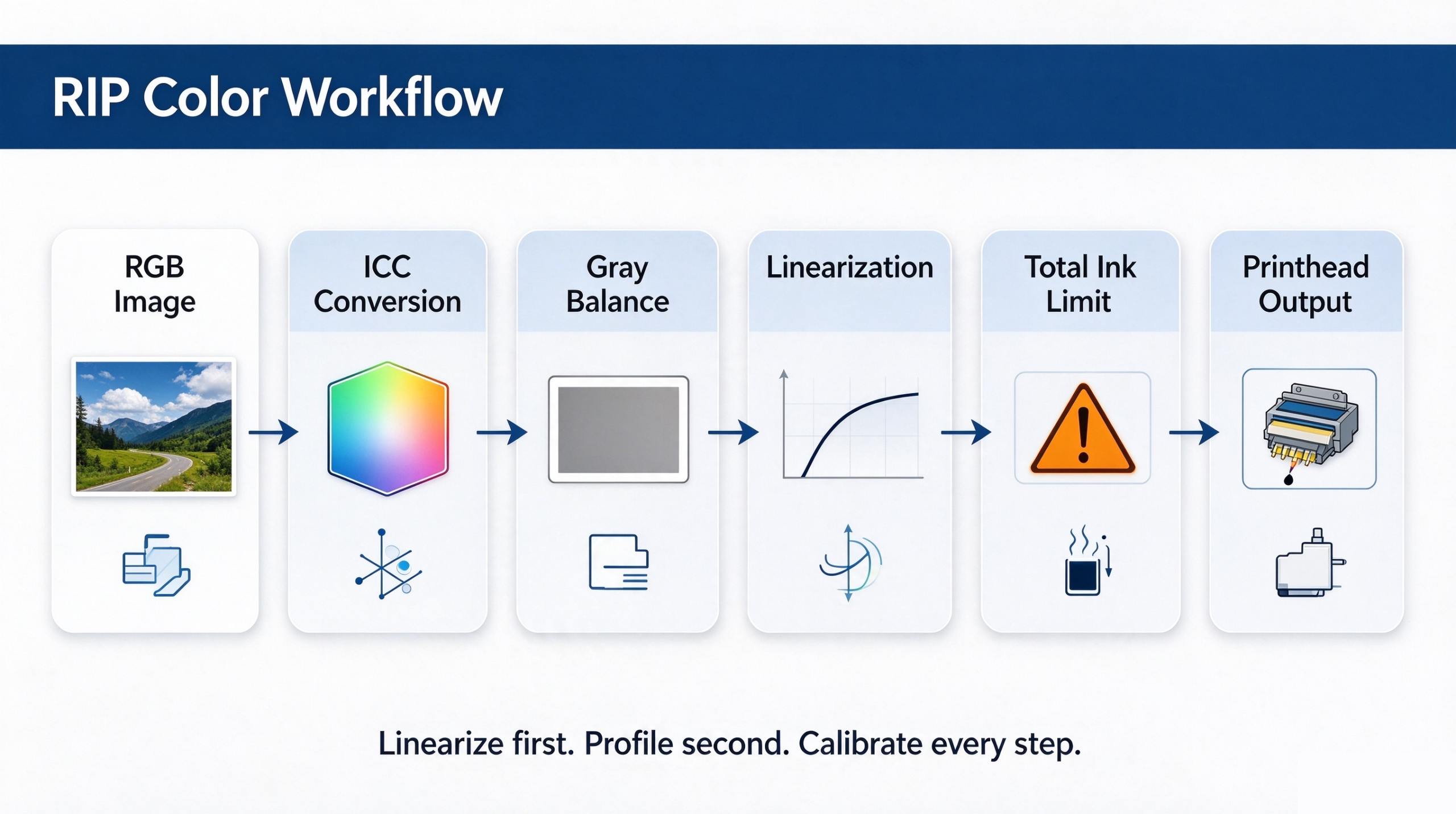
- Full RIP Data Pipeline: ICC → Gray Balance → Linearization → TIL
Standard workflow inside RIP: Source RGB image → Rendering Intent → ICC gamut conversion (RGB → LAB → CMYKW) → Gray balance correction → Linear curve correction + single channel ink cap → Total Ink Limit TIL clipping → Halftone & dot output to printhead
3.1 Gray Balance: Keep Neutral Grey Clean
In theory, equal C=M=Y produces neutral grey. But commercial UV inks carry inherent cast: cyan leans blue, magenta leans red, yellow appears muddy. Equal C/M/Y mix often prints off-color grey.
Gray balance fine-tunes C/M/Y ratios after ICC conversion, to ensure neutral tones stay clean from light grey to deep grey. Portraits, light gradients and white-background logos are the most common failure points for bad gray balance.
Note the difference: Gray balance adjusts ratio between C/M/Y; linearization only corrects each ink channel individually.
3.2 Total Ink Limit (TIL)
UV ink sits on top of non-absorbent substrates. Too much stacked ink leads to tacky surface, poor adhesion, incomplete curing and orange peel texture.
TIL sets the maximum sum value of all color and white ink channels. When the ink sum calculated by ICC exceeds the limit, RIP compresses color ink preferentially and preserves black density to protect gray balance, instead of scaling all channels equally.
TIL is a physical process boundary, not a color adjustment. It must be tested according to substrate, ink and UV curing power.
- ICC vs Linearization vs Color Curve
- Linearization: Single-channel tone calibration, foundation, fixes banding & light screen loss
- ICC Profile: Cross-gamut color mapping, matches screen preview to printed output
- Color Curve: Flexible adjustment curve for manual fine tuning, independent of baseline linear file
- Standard UV Color Management SOP
- Maintain printheads, remove nozzle clogging and deflection;
- Set resolution, pass number, feathering and UV curing power;
- Print single-channel step wedges, measure by spectrophotometer, build linear curves and single-channel ink caps;
- Run over-ink test and confirm safe TIL value;
- Print gray scale target and tune gray balance;
- Keep linear curves, TIL and gray balance enabled, then print IT8 color chart;
- Measure chart and generate ICC profile bound to this exact recipe;
- Load ICC in RIP and select rendering intent: Relative Colorimetric for photos / Saturation for solid logos;
- Proof and archive the full process document.
Important rule: Changing ink, printhead, substrate, pass setting or curing power invalidates your color baseline. You need new linearization + new ICC. If only printhead condition drifts slightly with same ink and substrate, redo linearization first.
- FAQ
Q: IT8 measurement LAB values are good, but gradients band heavily? A: Linearization was poor before ICC creation, ICC fitted non-linear printhead error.
Q: Colors are accurate but grey always shifts blue or green? A: Gray balance needs re-calibration.
Q: Can I use one ICC for both clear and white acrylic? A: No. Light reflection and transmission differ greatly, separate ICC required.
Q: Which rendering intent should I choose? A: Relative Colorimetric for portraits and art prints; Saturation for graphic logos & signage.
- Conclusion
Professional UV color management is far more than loading an ICC profile. Stable linearization baseline, precise gray balance, reasonable TIL limit and matching custom ICC form a closed-loop system. It brings consistent batch production, better screen-to-print matching, less rework and lower ink waste.