
In the field of UV flatbed printing, pass lines, like a hidden "precision killer," have always been a technical hurdle hindering precision manufacturing. These strip-like seams, caused by the combined effects of equipment mechanical characteristics and ink curing processes, cannot be completely eliminated, but can be controlled within a threshold imperceptible to the naked eye through scientific optimization. This article analyzes the causes of pass lines from a practical perspective, deeply dissecting four core contributing factors, and providing readily applicable solutions to help you accurately overcome printing quality bottlenecks.
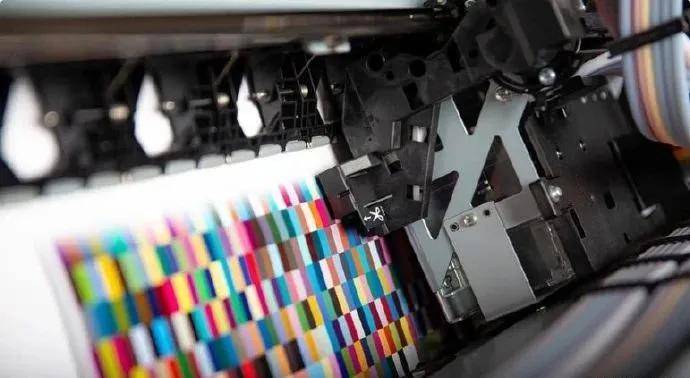
The definition of "PASS" in the inkjet printing industry
"Pass" means "through" or "after". In the inkjet printing industry, "pass" refers to the number of times an image needs to be printed (the number of times a unit area is covered). A higher pass count means a slower printing speed but generally better quality, and vice versa. 6-pass and 4-pass printing are commonly seen in inkjet printers such as UV printers. For example, printing a 4-pass image requires each pixel to be covered four times. Increasing the pass count usually improves image quality. A pass represents the number of passes the printhead makes to complete one line of printing. Inkjet printing uses a line-by-line printing method; 4 passes means 4 passes, and so on.
The number of inkjet passes required to complete a printing area is called the number of passes. Different pass numbers result in different dot stacking relationships, leading to different colors. Passes are usually controllable options on UV printers and their operating software, such as the RIP printing software for UV printers. Users can adjust the pass settings according to their needs, allowing the UV printer to output perfect image quality. The number of passes is related to printing precision; different printing precisions require different pass numbers.
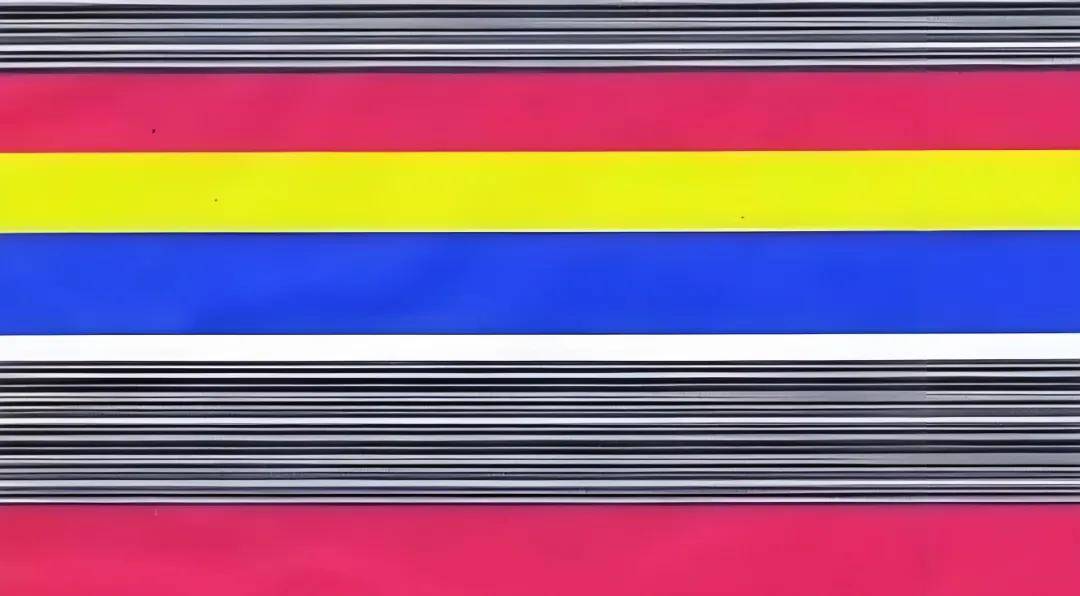
The core causes and solutions to the PASS phenomenon.
1. [Feathering parameter imbalance] Printing feathering is too low
Solution: The curing characteristics of UV inks create natural gaps between ink droplets. If the feathering value is too low (e.g., <50), the ink droplet connections are obvious, forming streaks of color difference. Enabling feathering is to compensate for the connections between ink droplets during the UV flatbed printer printing process, resulting in a more natural pattern. UV inks themselves have poor leveling properties, unlike water-based or solvent-based inks. When ink droplets are sprayed onto the material, they naturally spread outwards. Due to the effect of ultraviolet light, UV inks cure immediately upon contact with the material surface. This results in relatively large gaps between ink droplets when viewed under a magnifying glass. Setting the feathering value to around 80 or 100 can eliminate the pass-through phenomenon.
2. [Bidirectional Printing Speed Conflict] Bidirectional printing at excessive speed.
Solution: During high-speed bidirectional printing, the mechanical inertia of the reciprocating stroke can easily cause printhead positioning deviation, especially noticeable in curved or intricate patterns. Switching to unidirectional printing can meet high-precision printing requirements. If the pattern's precision requirements are not high, a bidirectional high-speed printing mode can be selected.
3. [Aging of the Y-axis drive system] The Y-axis belt of the UV flatbed printer is loose.
Solution: A loose belt or insufficient lubrication of the lead screw can cause platform displacement errors. Over time, these accumulated errors can lead to PASS track misalignment. The Y-axis belt of a UV flatbed printer may loosen after prolonged use; simply tighten and adjust it. If the Y-axis is driven by a lead screw, remember to perform regular lubrication.
4. [Printhead Malfunction] Issues include a faulty printhead, ink interruption, etc., in the UV flatbed printer.
Solution: Ink interruptions, angled spraying, or unstable negative pressure can disrupt the consistency of ink droplet ejection, creating noticeable seams in light-colored transition areas. Pause printing, apply ink pressure to the printhead, and clean it with cleaning fluid. Once the cleaning fluid sprays out in a continuous bead-like pattern, the nozzles are clean and printing can resume.
Recommendation: At the start of each printing session, UV flatbed printers should print a test strip to observe the printhead status promptly. Only proceed with subsequent work after confirming everything is OK.
From parameter calibration to mechanical maintenance, from printhead management to mode selection, overcoming the challenges of passing through each stage requires a systematic technical approach. Top Printing Technology has been deeply involved in the industrial printing field for over a decade. For customized solutions or equipment optimization support, please contact the Digital Imprint technical team – ensuring that every pass becomes a testament to precision manufacturing, not a mark of flaw.