
Many UV inkjet engineers face a confusing issue in production: Drop Watch inspection shows clean, stable droplets. No obvious misdirected jets, minimal satellite drops, consistent drop velocity. All jetting parameters seem perfect. However, once printing on real substrates, defects appear: pinholes, dewetting, ink retraction, line merging, missing dots and uneven coverage.
Most operators immediately suspect the printhead: they start cleaning, purging ink, adjusting driving voltage and waveform. In many cases, the defects remain unchanged. The core principle: Drop Watch only verifies drop formation and flight phase. It cannot capture wetting, spreading, drop merging and UV curing after droplets hit the substrate. Stable jetting ≠ stable film formation.
The full UV inkjet workflow is far longer than just ejection from nozzles: Ink supply → Nozzle ejection → Droplet flight (the zone checked by Drop Watch) → Impact on substrate → Spreading / retraction / oscillation → Neighboring drop coalescence → UV curing and film formation
Drop Watch is a powerful diagnostic tool. It helps you detect nozzle clogging, misfire, skewed jets, long tail filaments, excessive satellite drops and inconsistent drop speed. But it has a clear limitation: it observes droplets in the air. It cannot capture interfacial behavior once ink touches the substrate surface.
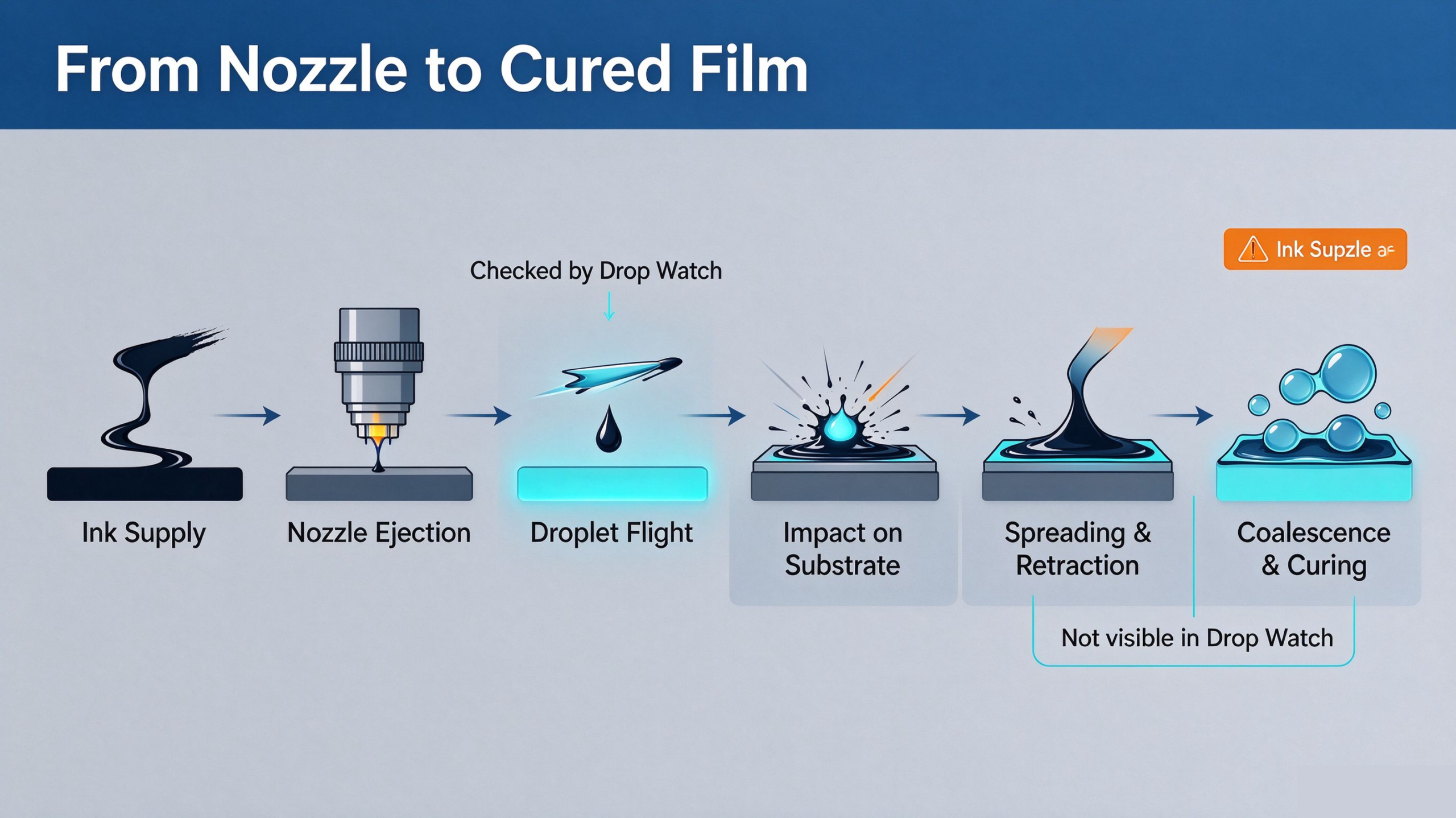
Defects Start After Droplets Land On The Substrate
When a UV ink droplet hits a surface, it does not freeze instantly. It follows a fast dynamic cycle: impact → spread → retract → oscillate → stabilize. For continuous graphics, incoming droplets keep landing beside previous ones. This creates drop-to-drop overlap, coalescence and continuous ink film building. Final print quality is not decided by single isolated droplets. It is the combined result of thousands of droplets impacting, deforming, overlapping and merging on the substrate.
Substrate Interface: The Most Overlooked Factor
The same droplet can behave completely differently on different materials. Surface contamination, release agent, dust, faded corona / plasma treatment and uneven surface roughness all change wetting performance.
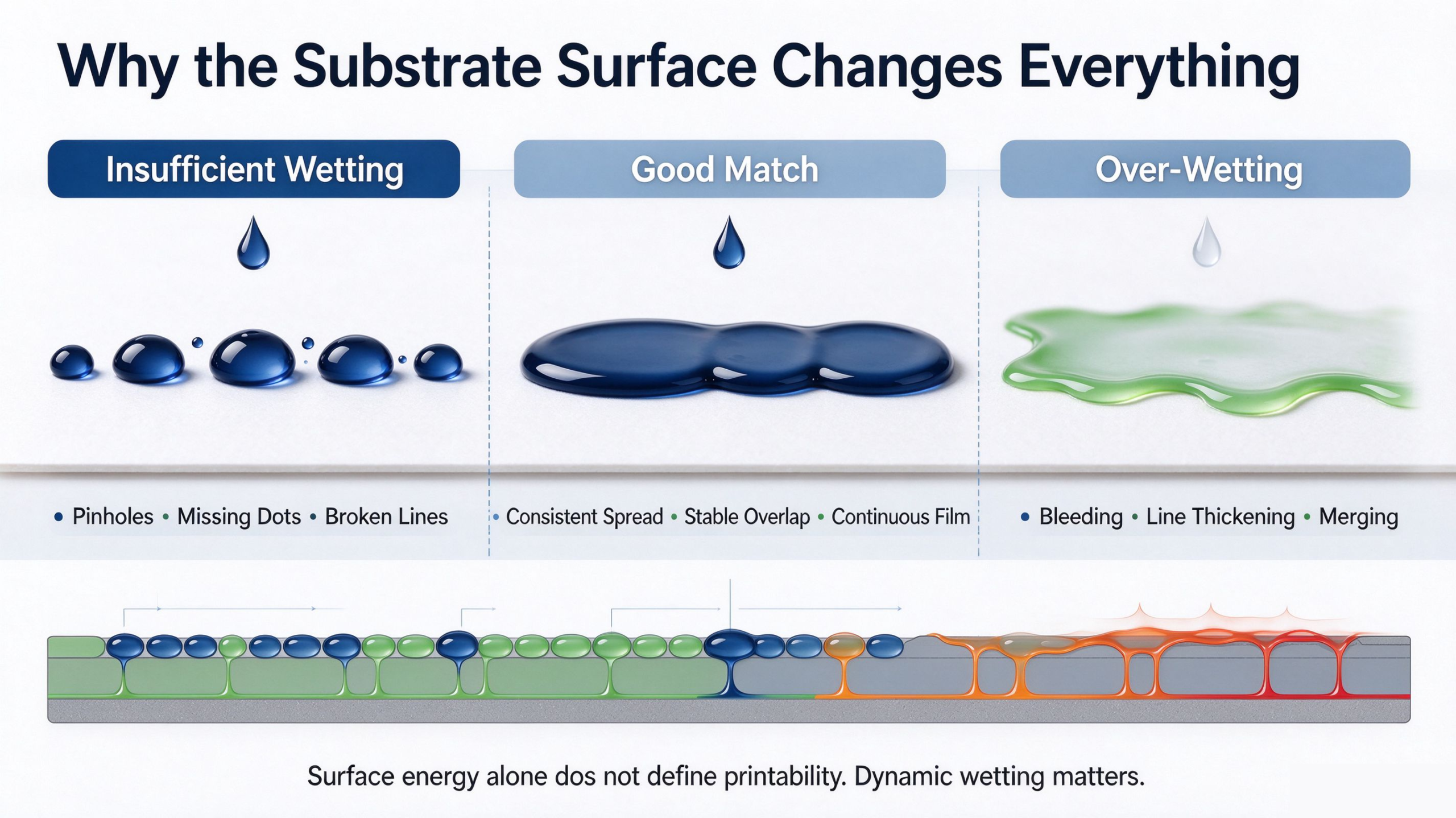
Many technicians rely only on dyne test results to judge printability. This is a common mistake. Static surface energy value alone cannot guarantee good printing. High surface energy does not automatically mean ideal spreading; low surface energy does not always cause dewetting or pinholes. What matters in production is the dynamic wetting performance of your UV ink on that specific substrate: spreading speed, retraction range and final stable shape.
Insufficient wetting → poor overlap, pinholes and broken lines. Over-fast spreading → excessive merging, thickened lines, blurred edges and uneven film thickness. The target is not “max wetting”. The spreading range must match drop spacing, drop volume, carriage speed and UV curing timing.
RIP Data & Motion Parameters Reshape Final Deposition
Even if every droplet flies identically, changing the droplet array on substrate will change print quality. RIP grayscale, ink limit, resolution, drop spacing, pass setting, bidirectional alignment and carriage motion accuracy control ink volume and overlapping distance. Workflow from digital file to finished film: Digital pixels → Droplet array → Ink deposition → Continuous cured film. Same droplets, tighter drop spacing = more merging; wider drop spacing = higher risk of pinholes.
Curing Timing Controls When Droplets Are Locked
UV curing timing is tightly coupled with ink spreading window. Cure too fast: droplets are locked before full spreading and overlapping, grainy texture and pinholes appear. Cure too slow: ink keeps flowing, retracting and gathering, resulting in pinholes, ink bleed and distorted edges.
Field Troubleshooting Workflow
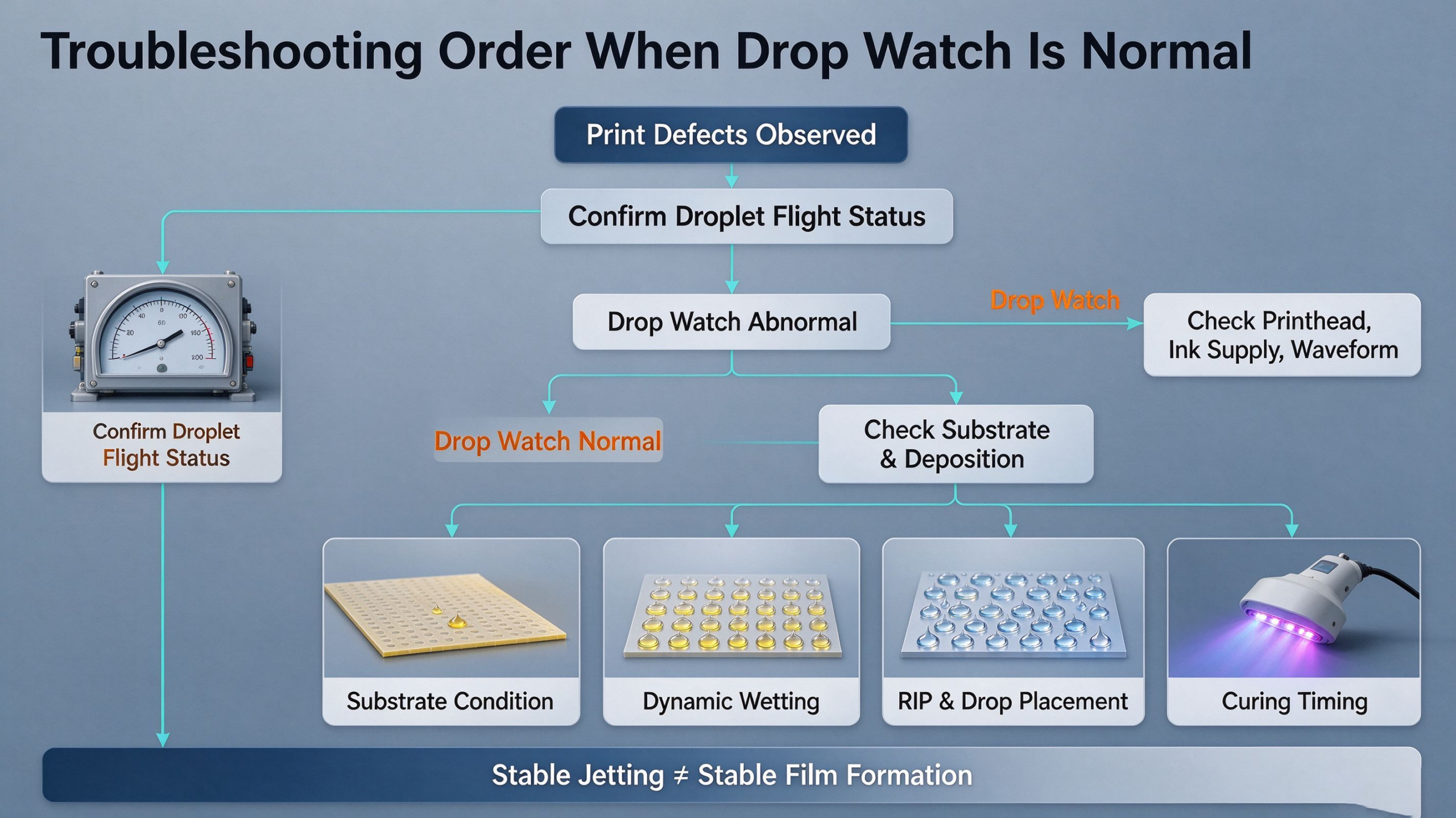
If Drop Watch confirms stable jetting but you still get print defects, follow this sequence instead of repeatedly tuning printhead settings:
- Recheck Drop Watch for hidden skewed jets, intermittent satellite drops and random misfires;
- Test on reference substrate: if defects only happen on specific material, focus on substrate surface treatment and contamination;
- Verify ink formulation and surface tension matching;
- Audit RIP settings: resolution, passes, drop spacing, ink limit, bidirectional calibration;
- Adjust UV curing window: lamp power, lamp distance and scan speed;
- Modify printhead waveform, voltage and negative pressure only as the last step.
Conclusion
A good Drop Watch result is a pre-check, not a final acceptance standard for print quality. The printhead’s job is to eject droplets steadily. Substrate interface, ink wetting, drop layout and curing timing together decide whether droplets form a clean, continuous, defect-free cured film. Master this full workflow to avoid endless printhead cleaning, cut debugging time and stabilize mass production yield.
FAQ
Q:Drop watch is good, but pinholes appear at fixed positions? A:Check local substrate contamination or uneven corona treatment first, then check motion stepping error, not printhead clogging. Q:Dyne test passes, but pinholes still happen? A:Dyne test is static. UV inkjet depends on dynamic wetting, not only static surface energy. Q:New identical printhead, same drop watch, different print result? A:Check ink batch, negative pressure, UV lamp aging and substrate batch difference.