
Introduction
If you run a custom printing factory or offer UV printing services, UV print ghosting and blurry edges are among the most common and frustrating quality issues. Many printing operators immediately assume the problem comes from clogged printheads or poor ink quality. However, in most high-speed production scenarios, the real cause isbi-directional printing synchronization deviation.
Modern industrial UV flatbed printers rely on bi-directional printing to boost production efficiency. But without accurate calibration and stable mechanical control, fast printing always leads to double images, ghosting, and fuzzy details.
In this article, we explain what bi-directional printing is, why UV printer ghosting occurs, how to fix it, and how to choose a stable high-precision UV printer for mass production.
1. What Is Bi-Directional Printing on a UV Printer?
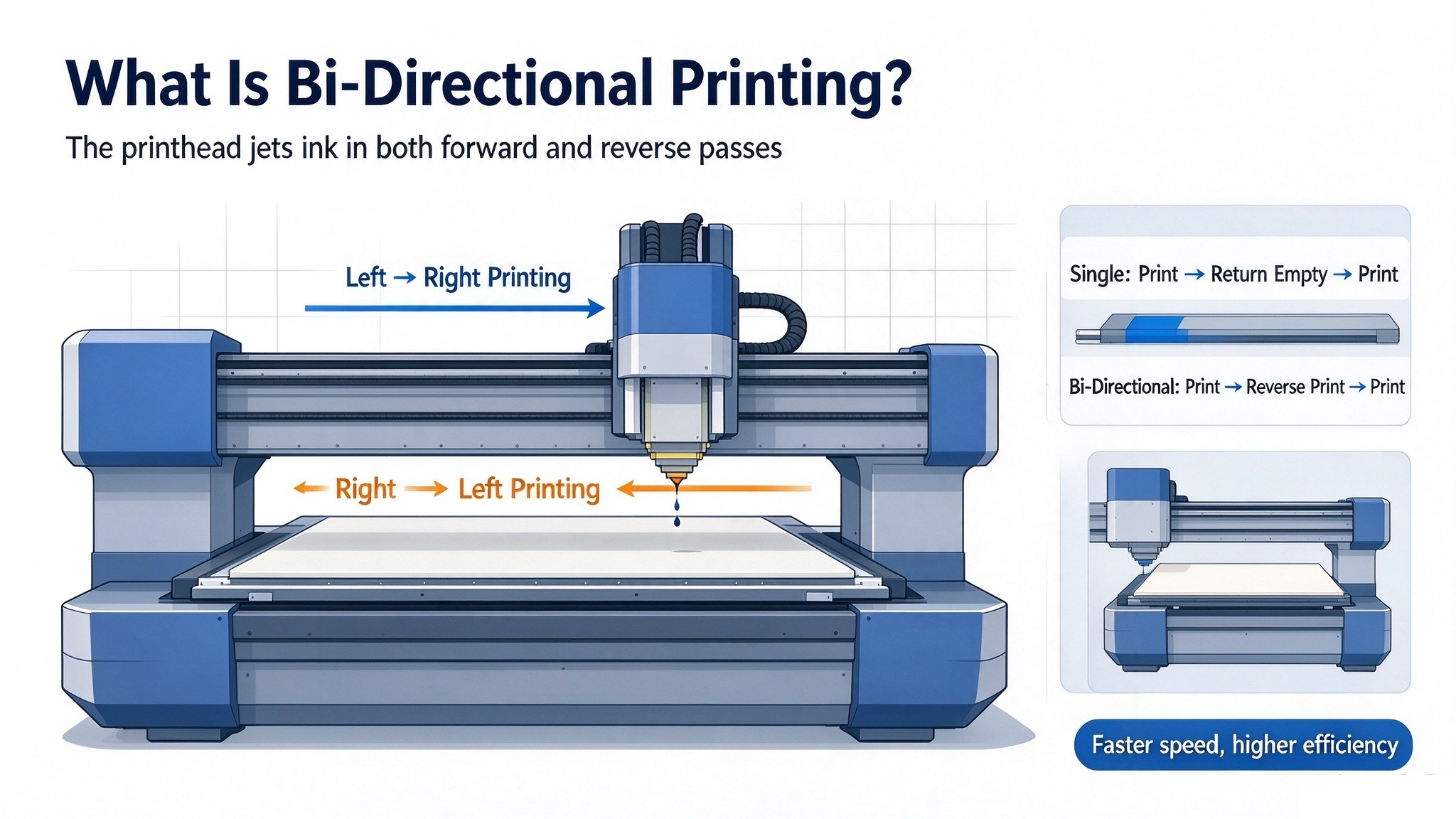
To understand UV printing ghosting, you first need to know the two core printing modes of UV flatbed printers: single-direction printing and bi-directional printing.
Single-Direction Printing
The printhead only sprays ink when moving from left to right. When returning to the starting position, the printhead runs empty without printing. This mode provides extremely stable and precise printing quality with zero ghosting. However, the production speed is slow, making it only suitable for high-end, low-volume custom orders.
Bi-Directional Printing
Bi-directional printing means the printhead sprays ink during both forward and reverse movements. There is no empty return stroke, which significantly improves printing speed and production output.
For most commercial printing factories, bi-directional UV printing is essential to handle large orders and reduce unit costs. Unfortunately, this high-speed mode is also the main source of UV print ghosting.
2. Why Does Bi-Directional Printing Cause UV Printer Ghosting?
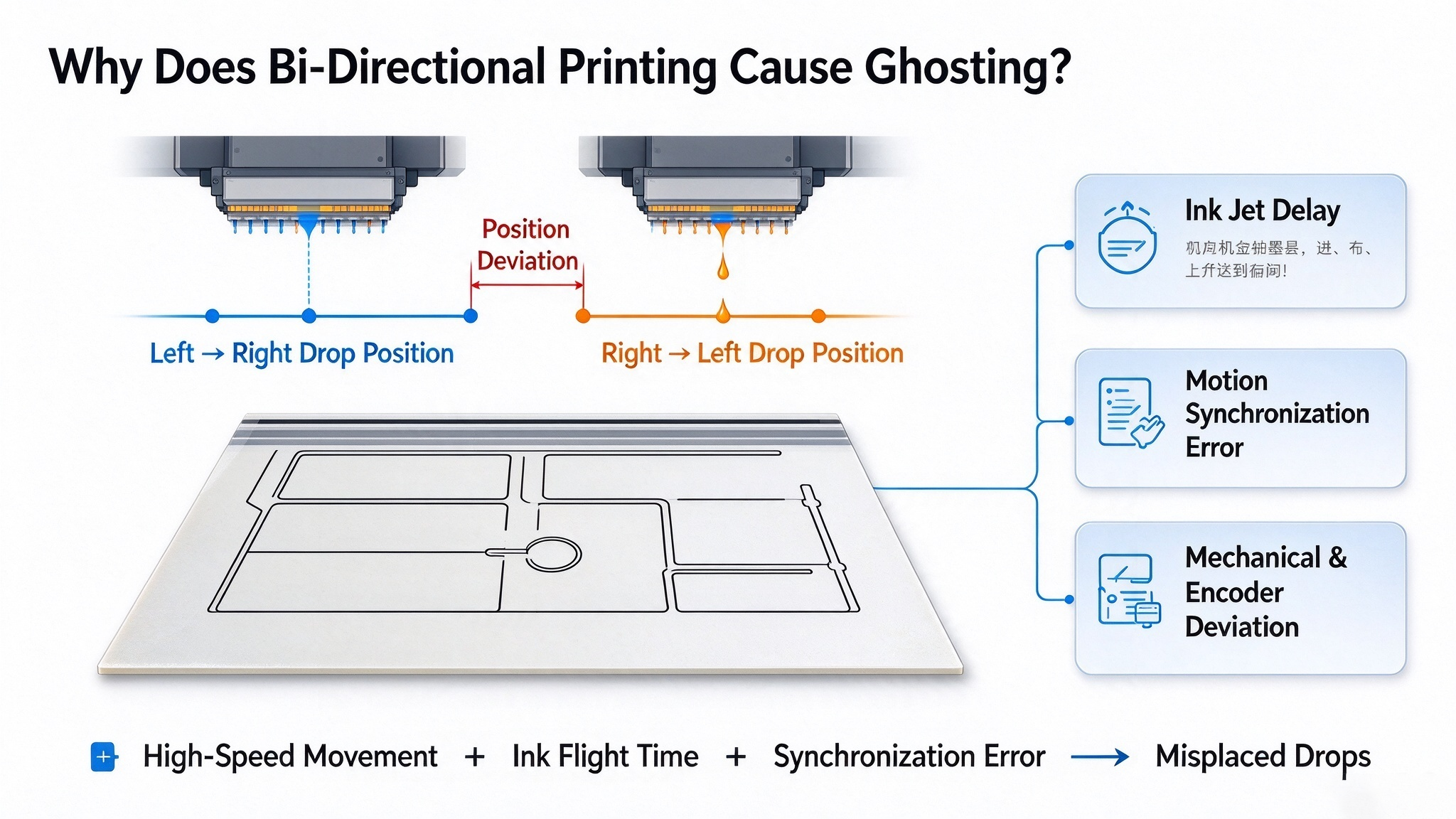
UV printing ghosting, double lines, and blurred edges are essentially ink droplet position misalignment between forward and reverse printing strokes.
When the UV printer works at high speed, ink droplets need a short flight distance before landing on the material surface. During this tiny delay, the printhead continues moving rapidly.
Low-quality UV printers suffer from:
- Ink jet delay errors
- Motor motion synchronization deviation
- Belt and guide rail mechanical clearance
- Encoder positioning inaccuracy
As a result, the ink drop landing position of the left-to-right stroke does not match the right-to-left stroke. The overlapping offset patterns create visible UV print ghosting and double images.
An important rule: The faster the printing speed, the higher precision the system requires. A tiny time error will be amplified into obvious position deviation during high-speed operation.
3. Is All UV Print Ghosting Caused by Bi-Directional Printing?
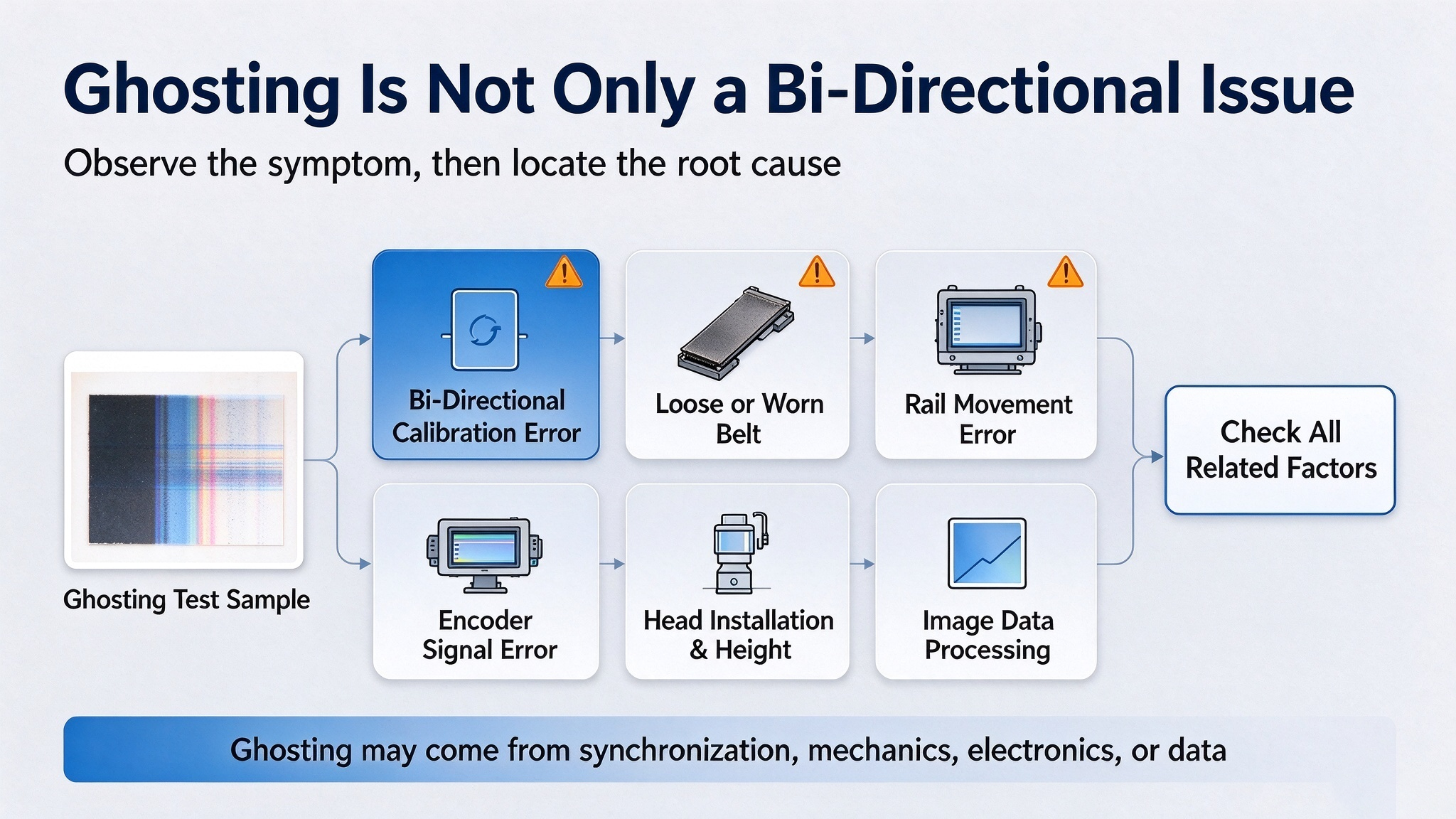
No. Many printing shop owners make the mistake of only adjusting bi-directional parameters when ghosting appears. In fact, UV printer ghosting can also be caused by multiple mechanical and structural factors:
- Loose or worn synchronous belts
- Unstable guide rail operation
- Printhead height deviation
- Long-term mechanical fatigue and clearance
- Incorrect image data processing
- Encoder signal errors
This explains why some UV printers ghost again after short-term calibration. A reliable industrial UV printer must adopt an overall stable mechanical structure, not only relying on simple parameter calibration.
4. How to Fix UV Printer Ghosting Effectively?
Professional Bi-Directional Calibration
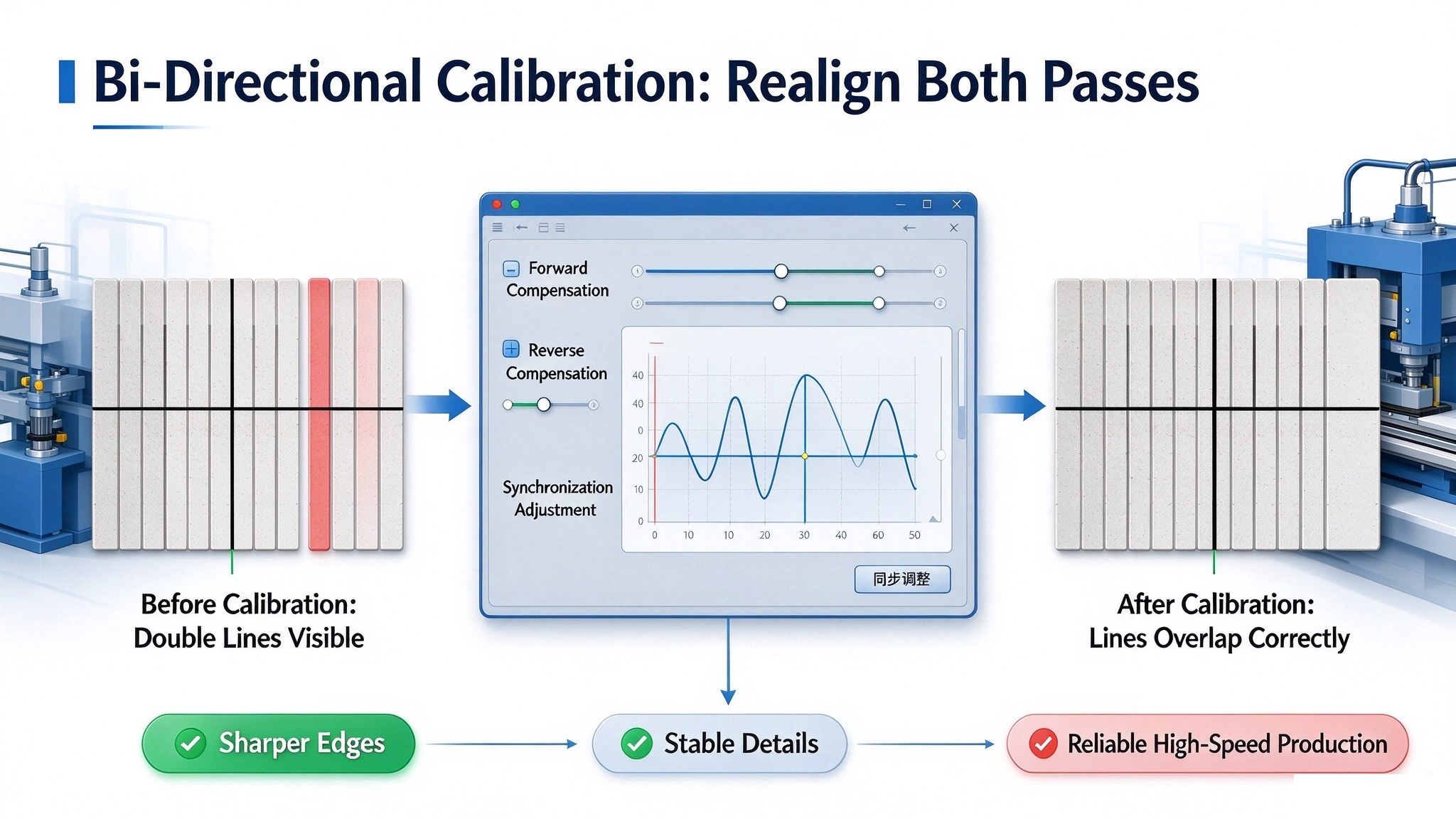
The most direct and effective solution for bi-directional ghosting is UV printer bidirectional calibration. Professional equipment prints dedicated test patterns to check the alignment of forward and reverse printing tracks.
By adjusting the inkjet advance and delay compensation parameters, the machine can perfectly synchronize ink ejection and printhead movement, eliminating double images and blurry edges.
Upgrade Stable Industrial Printing Configuration
To avoid recurring ghosting problems, high-quality UV printers adopt optimized industrial configurations:
- High-precision silent guide rails and durable synchronous belts
- High-stability servo motor and encoder positioning system
- Intelligent temperature adaptation to prevent mechanical deformation
- Precision inkjet synchronization control system
With these upgrades, the machine maintains ghosting-free printing even during long-time high-speed mass production.
5. Bi-Directional vs Single-Direction Printing: Which One to Choose?
Each mode has its own advantages, and professional printing factories choose modes based on order requirements:
- Bi-Directional Printing: High speed, high output, perfect for mass commercial orders. With accurate calibration, it balances high efficiency and clear printing quality.
- Single-Direction Printing: Ultra-high precision, no ghosting, stable details, suitable for high-end customized products requiring strict quality standards.
A qualified industrial UV flatbed printer allows free switching between the two modes to maximize your production profit.
6. FAQ About UV Printer Ghosting & Bi-Directional Printing
Q1: Why does my UV printer ghost after calibration?
It is usually caused by mechanical wear, loose belts, temperature changes, or encoder deviation. Regular maintenance and recalibration are necessary for industrial printers.
Q2: Is bi-directional printing lower quality?
No. Poor quality only occurs with inaccurate synchronization and low-end mechanical structures. Well-calibrated bi-directional printing delivers clear, sharp outputs with much higher efficiency.
Q3: Can I turn off bi-directional printing to avoid ghosting?
Yes. Turning to single-direction printing completely removes bi-directional ghosting but reduces printing speed by nearly 50%.
Conclusion
UV print ghosting is not an inevitable defect of bi-directional printing. It is a signal of insufficient motion synchronization, poor mechanical stability, or inaccurate parameter calibration.
Excellent industrial UV printers are designed for both speed and precision. They ensure every ink droplet lands accurately on the material, whether in forward or reverse printing, helping printing factories produce high-definition products with higher output and lower failure rates.
If you are troubled by UV printer ghosting, blurry printing, and unstable quality, contact us for professionalhigh-precision UV printing solutions and free sample testing.