
If you have ever watched a UV printing technician adjusting color, you may have noticed they rarely stare at RGB or CMYK values. Instead, they keep looking at three numbers: L*, a*, b*. These three coordinates define the Lab color space — the foundation of professional color measurement in UV printing.
This guide explains what Lab color space is, how L*a*b* works, why UV printing relies on it, and how it connects to ΔE color difference and ICC profiling.
01 What Is Lab Color Space?
Simply put, Lab is a color model that describes how humans perceive color, not how devices produce it.
- RGB describes colors emitted by displays — screens, phones, monitors. R=255, G=0, B=0 means red light glowing on a screen.
- CMYK describes colors produced by ink on paper — cyan, magenta, yellow, black percentages.
- Lab (CIELAB) describes the color as the human eye actually sees it, independent of the device that created it.
Because UV printing final output depends on ink, substrate, light reflection, and human vision, Lab is the universal language used by spectrophotometers, color management software, and print technicians worldwide.
02 L*, a*, b* Explained
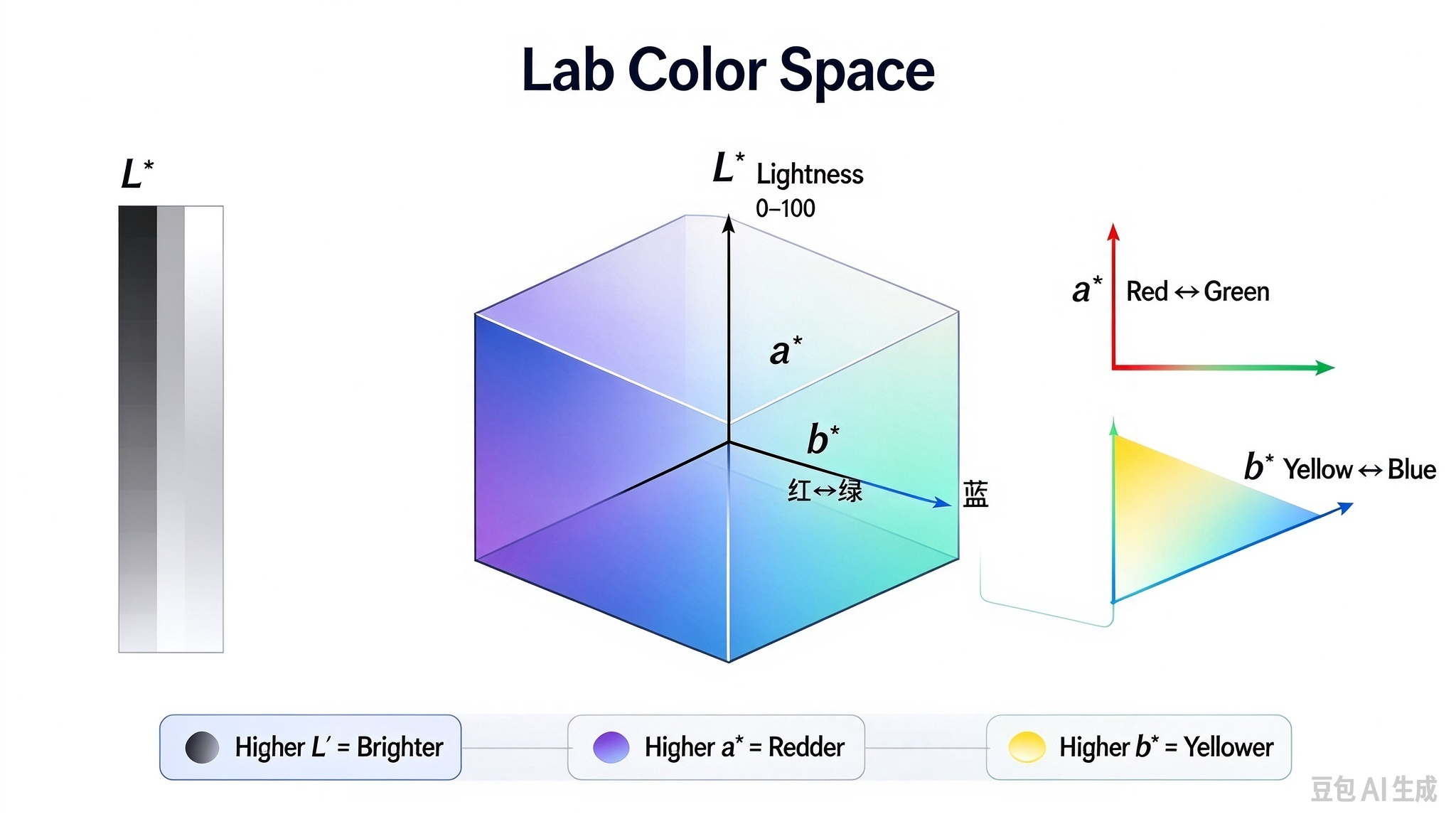
Lab color space has three independent axes. Each coordinate tells you exactly what direction a color is shifted.
L* — Lightness
L* measures how light or dark a color is, on a scale from 0 (pure black) to 100 (pure white).
- Higher L* → brighter, lighter color
- Lower L* → darker, deeper color
If your UV print comes out noticeably darker than the target sample, the first thing to check is the L* difference.
a* — Red–Green Axis
a* measures the red-green direction. Positive values shift toward red; negative values shift toward green.
- a* increases → more red
- a* decreases → more green
A significant a* gap between target and measured value means your print is biased toward red or green.
b* — Yellow–Blue Axis
b* measures the yellow-blue direction. Positive values shift toward yellow; negative values shift toward blue.
- b* increases → more yellow
- b* decreases → more blue
The most common complaint — "my UV print looks too yellow" — usually shows up as an elevated b* value.
03 Why UV Printing Uses Lab Instead of CMYK
The goal of UV printing is not "how much ink do I spray." The goal is "what color does the customer actually see on the final product."
For example, a Pantone color might correspond to C=20%, M=80%, Y=70%, K=0%. But those CMYK percentages alone cannot tell you what the finished print will look like on acrylic, wood, glass, or metal. The same ink formula on different substrates produces visibly different results.
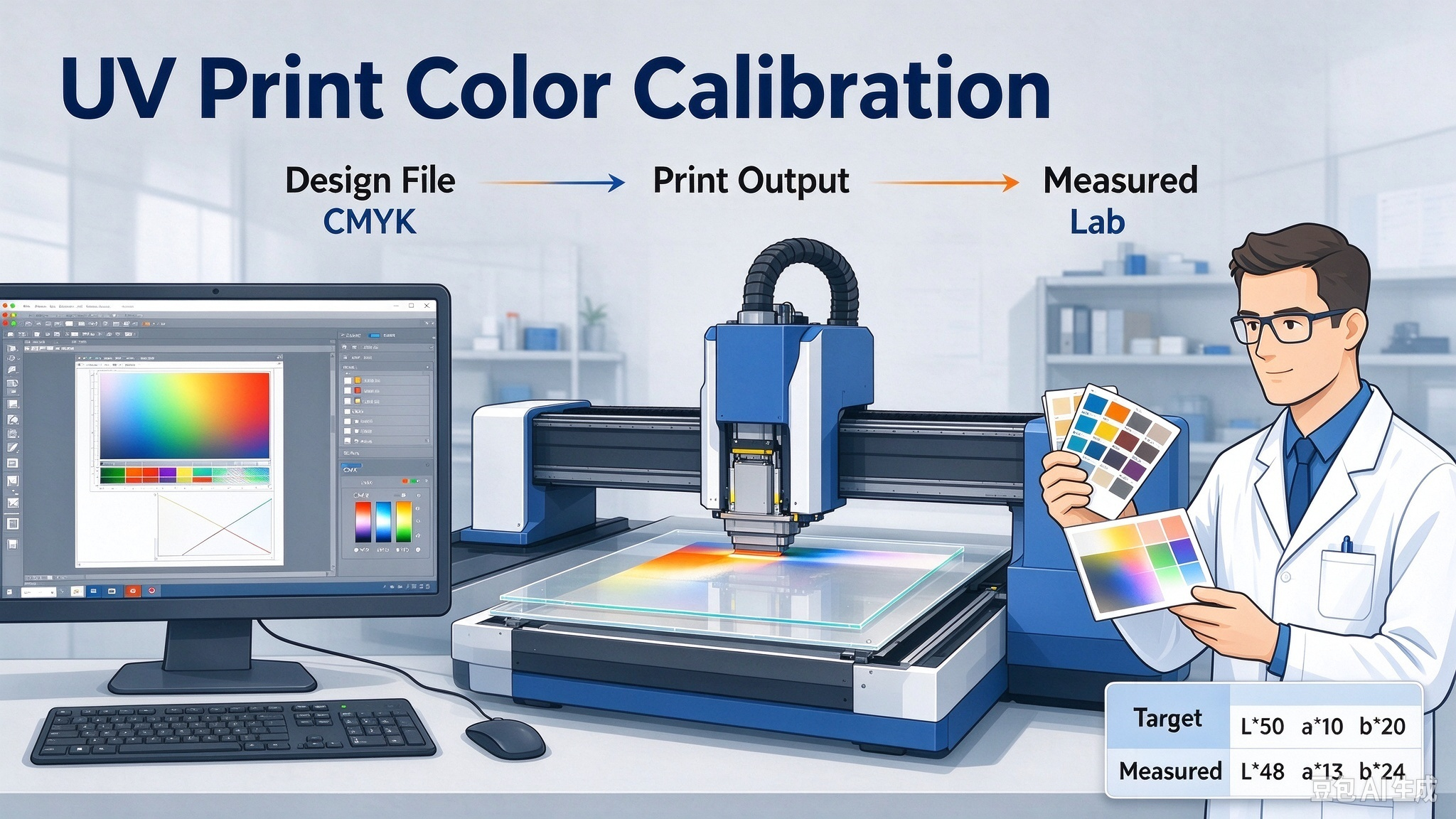
Lab solves this problem by measuring the final perceived color directly. During color calibration, technicians compare:
Target Lab Values vs. Measured Lab Values
This side-by-side comparison reveals exactly where and how the output deviates — brightness, red-green balance, or yellow-blue balance.
04 Lab and ΔE: The Color Difference Equation
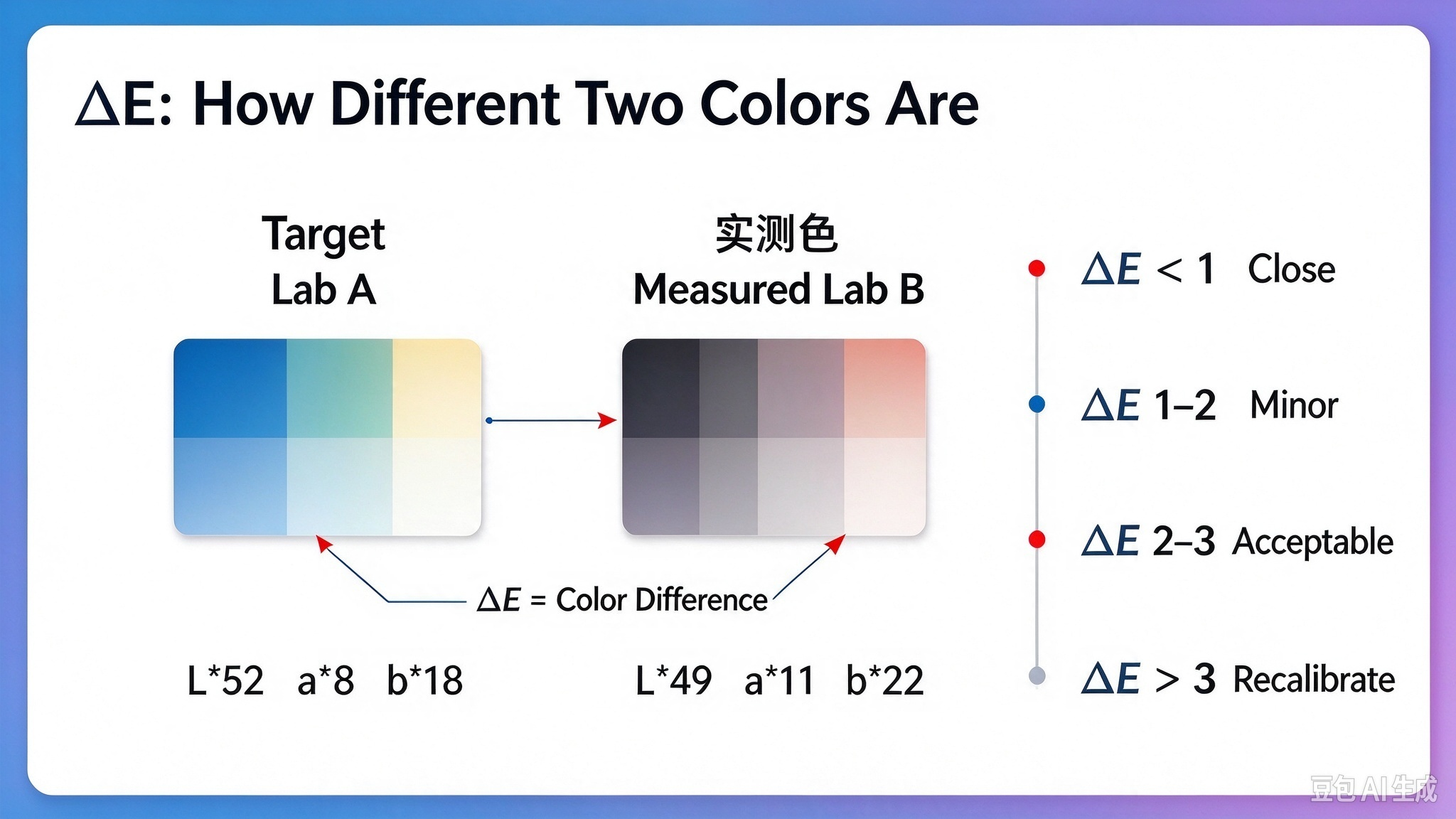
Lab describes a single color. ΔE (Delta E) describes how different two colors are from each other.
The workflow is straightforward:
- Measure the target sample → get Lab A
- Print and measure the actual output → get Lab B
- Apply a color difference formula (e.g., CIE76, CIE94, CIEDE2000) → get ΔE
In practice:
- ΔE < 1: indistinguishable to the human eye
- ΔE 1–2: noticeable only under professional comparison
- ΔE 2–3: acceptable for most industrial UV printing
- ΔE > 3: visible color mismatch, requires recalibration
This is why color management is no longer "it looks a bit off, let me tweak it." It becomes: target = X, actual = Y, difference = Z, adjust accordingly.
05 Why Not Just Use RGB for Color Measurement?
RGB is excellent for screens and digital images, but it is device-dependent. The same RGB value looks different on different monitors, and it does not map cleanly to reflected color on printed substrates.
UV printing involves UV-curable ink, substrate absorption, surface gloss, ambient light, and human visual response. Lab color space was designed specifically for this kind of perceptual, device-independent color comparison.
RGB and CMYK are not obsolete. They serve different stages:
Color Space | Best Used For | UV Printing Stage |
RGB | Digital design, screen preview, on-screen proofing | Design file preparation |
CMYK | Ink channel control, RIP channel values | RIP software, linearization |
Lab / ΔE | Perceptual color matching, quality control, color difference judgment | Spectrophotometer measurement, ICC profiling, final approval |
06 The Complete UV Color Management Workflow
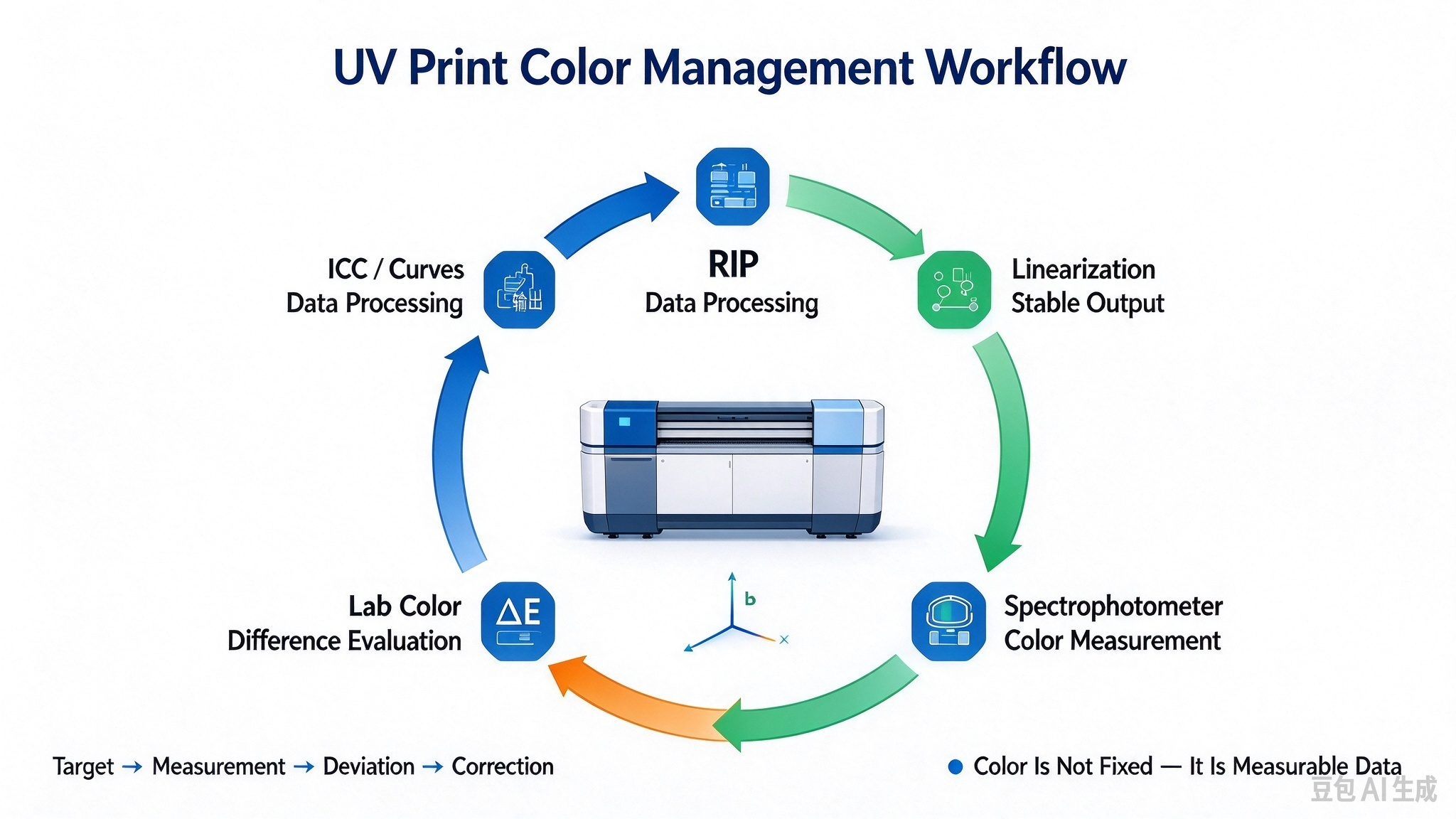
Putting it all together, here is how professional UV print color management works end to end:
- RIP Software processes the print file and controls ink channels.
- Linearization establishes a stable, predictable ink output base.
- Spectrophotometer measures the printed color patches on the actual substrate.
- Lab Values translate the physical print into numerical color coordinates.
- ΔE Calculation quantifies the gap between target and measured color.
- ICC Profile / Color Curves adjust the printer output to match the target.
The result: UV printing shifts from subjective "eyeballing" to a systematic, repeatable, measurable process.
07 Important Note: Color Is Not "Fixed"
A single red does not look the same under every condition. Final color is influenced by:
- Light source (D50, D65, LED, fluorescent)
- Substrate material (acrylic, wood, metal, glass, leather)
- UV ink formulation and curing level
- Print resolution and pass count
- Surface coating (matte, gloss, soft-touch)
- Viewing angle and ambient light
This is exactly why professional UV shops invest in spectrophotometers, standardized lighting booths, and ICC profiles — to create a repeatable color system, not a subjective one.
08 Key Takeaways
- Lab color space describes how humans perceive color, independent of device or ink.
- L* = lightness, a* = red-green, b* = yellow-blue — the three coordinates that pinpoint color deviation.
- ΔE measures the difference between target and measured color; lower is better.
- UV printing uses Lab and ΔE because the final quality standard is what the human eye sees, not the ink percentages.
- Professional color management = RIP + linearization + spectrophotometer + Lab measurement + ΔE evaluation + ICC profile.
At TOP Printing, we apply this full color management workflow across every UV printing project — from small-format acrylic gifts to large-format signage. If you need consistent, color-accurate UV printing results on demanding substrates, our engineering team can support your next project.
Have questions about UV printing color calibration? Contact TOP Printing for technical support and custom UV print solutions.